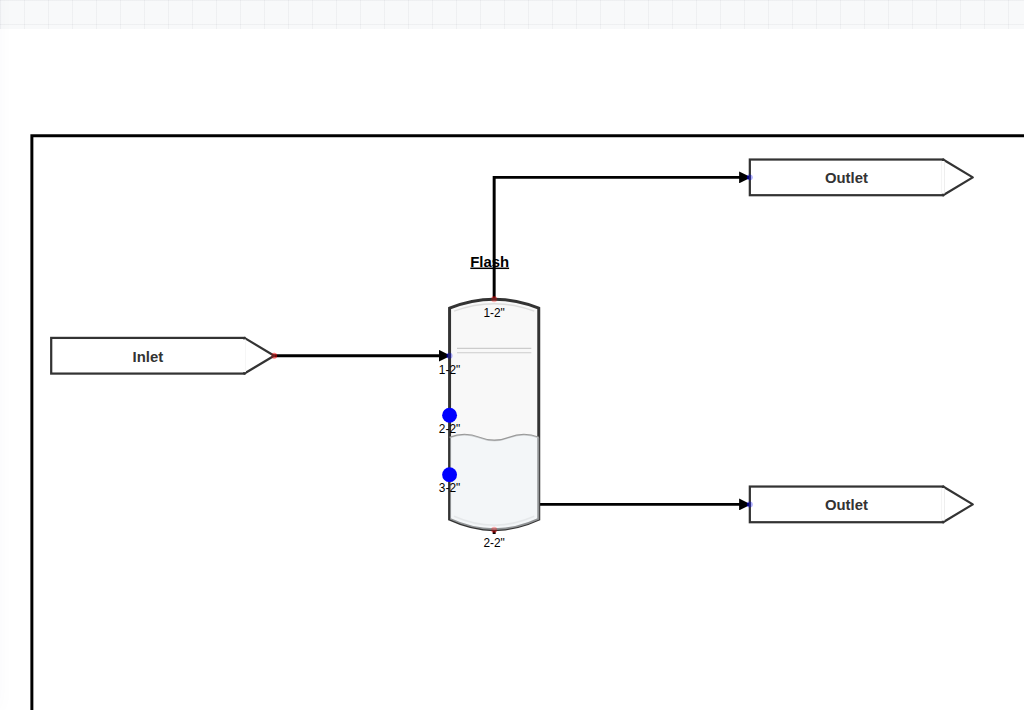
01 / Flowsheets
Build the process you mean.
Connect feeds, vessels, columns, thermal equipment, piping, and controls on a visual engineering canvas.
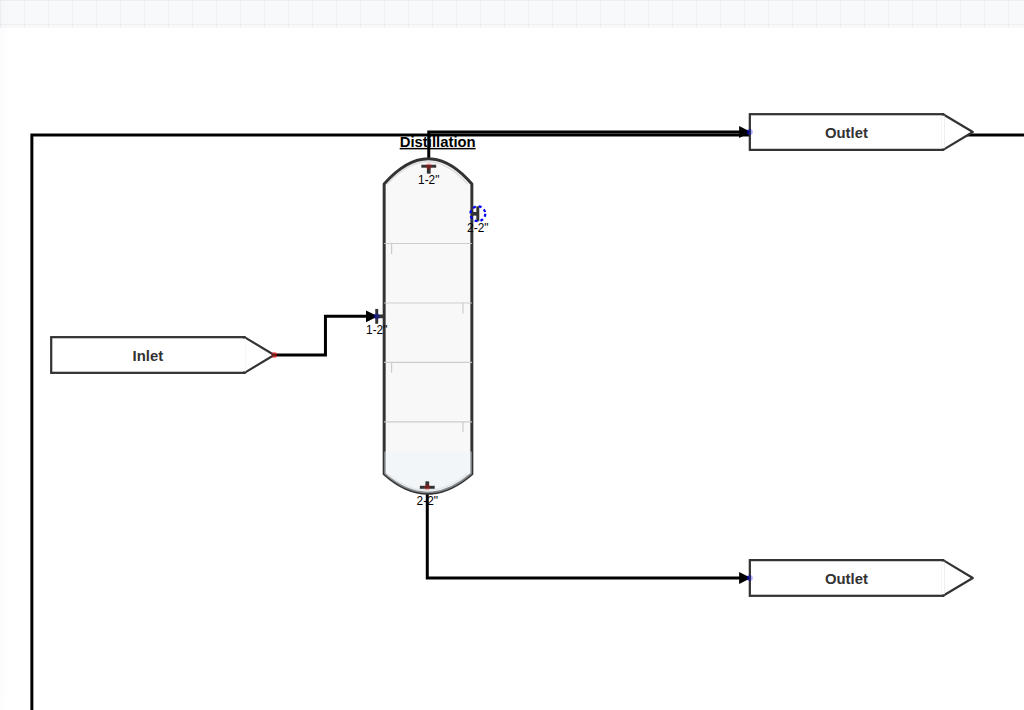
Material + energy balance
Model the equipment. Choose the thermodynamics. Run the balance. Then follow the numbers all the way through—without installing a desktop suite or sending project data to a server.
ChemForge keeps the flowsheet, thermodynamics, equipment models, studies, and results in one place. Change the basis once, rerun, and see what moved.
Connect feeds, vessels, columns, thermal equipment, piping, and controls on a visual engineering canvas.
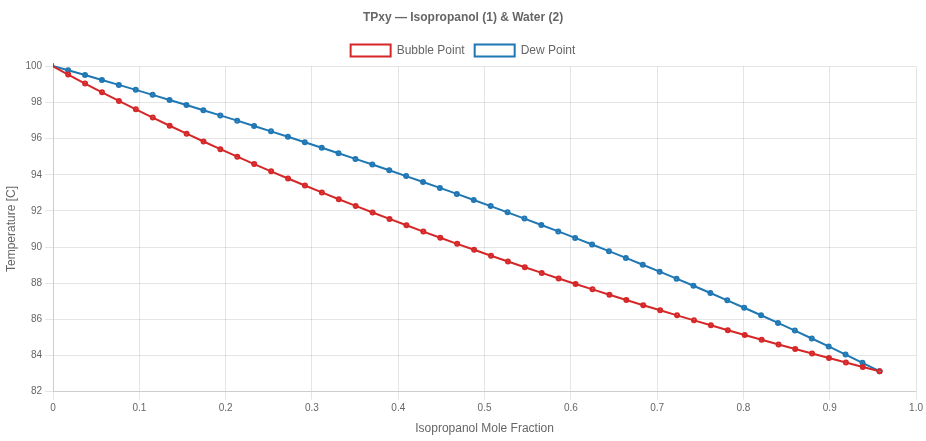
Generate bubble and dew curves, compare models, and work with VLE directly inside the project.
Size relief devices, rate exchangers, solve piping, sweep cases, and document the basis beside the model.
The simulation engine runs in the browser. Open and save ordinary project files without handing the model to a cloud calculation service.
The core workflow stays visible, so each result has a basis you can follow and a model you can revise.
Start from a blank sheet or a worked case. Add equipment, connect streams, define components, and select the property method.
Run material and energy balances across the flowsheet, including recycle convergence and linked unit calculations.
Read stream results, plot phase behavior, compare cases, and sweep operating variables to understand the design—not merely converge it.
ChemForge arrives as a web application, but the engineering work happens on your device. That means immediate access for a student, a practical sandbox for a startup, and fewer deployment hurdles for a technical team.
Use a current browser instead of maintaining a workstation installation.
Project data and calculations remain in your local workflow.
Save a ChemForge project and pass it to another engineer without a license handshake.
Short, narrated walkthroughs show the complete task—setup, modeling, calculation, and review—inside the actual product.
Define components, choose Peng–Robinson, connect a flash flowsheet, and inspect the solved streams.
Set the protected equipment and scenario basis, calculate the required area, and review the sizing details.
No download, sign-up, or license server between you and the first calculation.